
SOFOS 360
Exposure values ART
Optionally, ART also allows you to specify the expected exposure for each substance. This enables the system to calculate an exposure ratio and provide an indication of the exposure risk.
After completing a questionnaire, the exposure can be calculated. After the calculation, you can select the percentile value, confidence interval and control parameter you want to use to compare this exposure. You can only choose between MAC TWA 8 hours or MAC STEL 15 minutes. The system automatically converts all ppm values to mg/m³.
To add new exposure values, click on the ‘ART calculation’ button. The screen below will then appear.
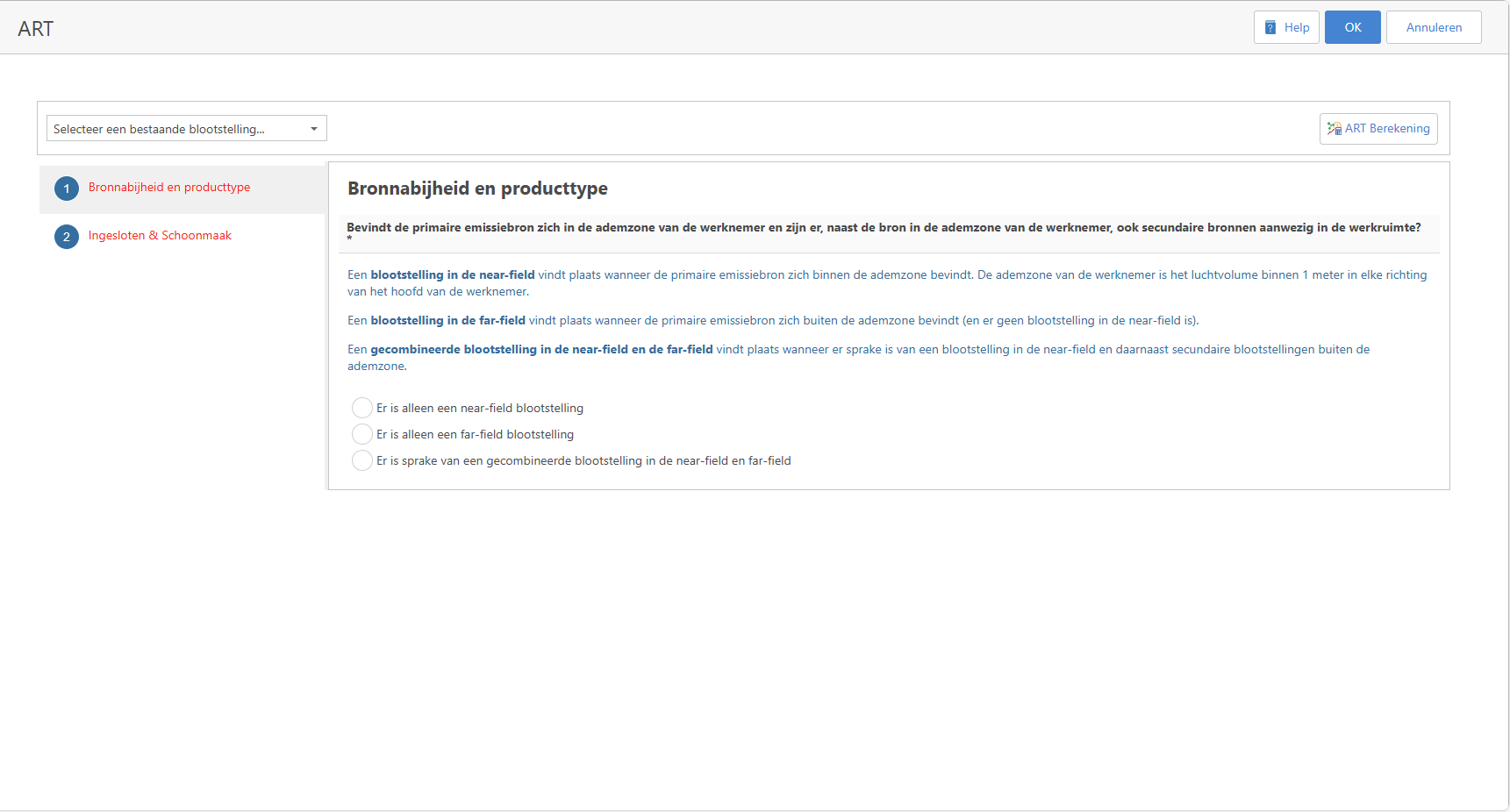
The questions, which are displayed in different groups, must be answered. When a question has been answered, follow-up questions may arise that also need to be answered.
If questions in a group have not yet been answered, that group is displayed in red.
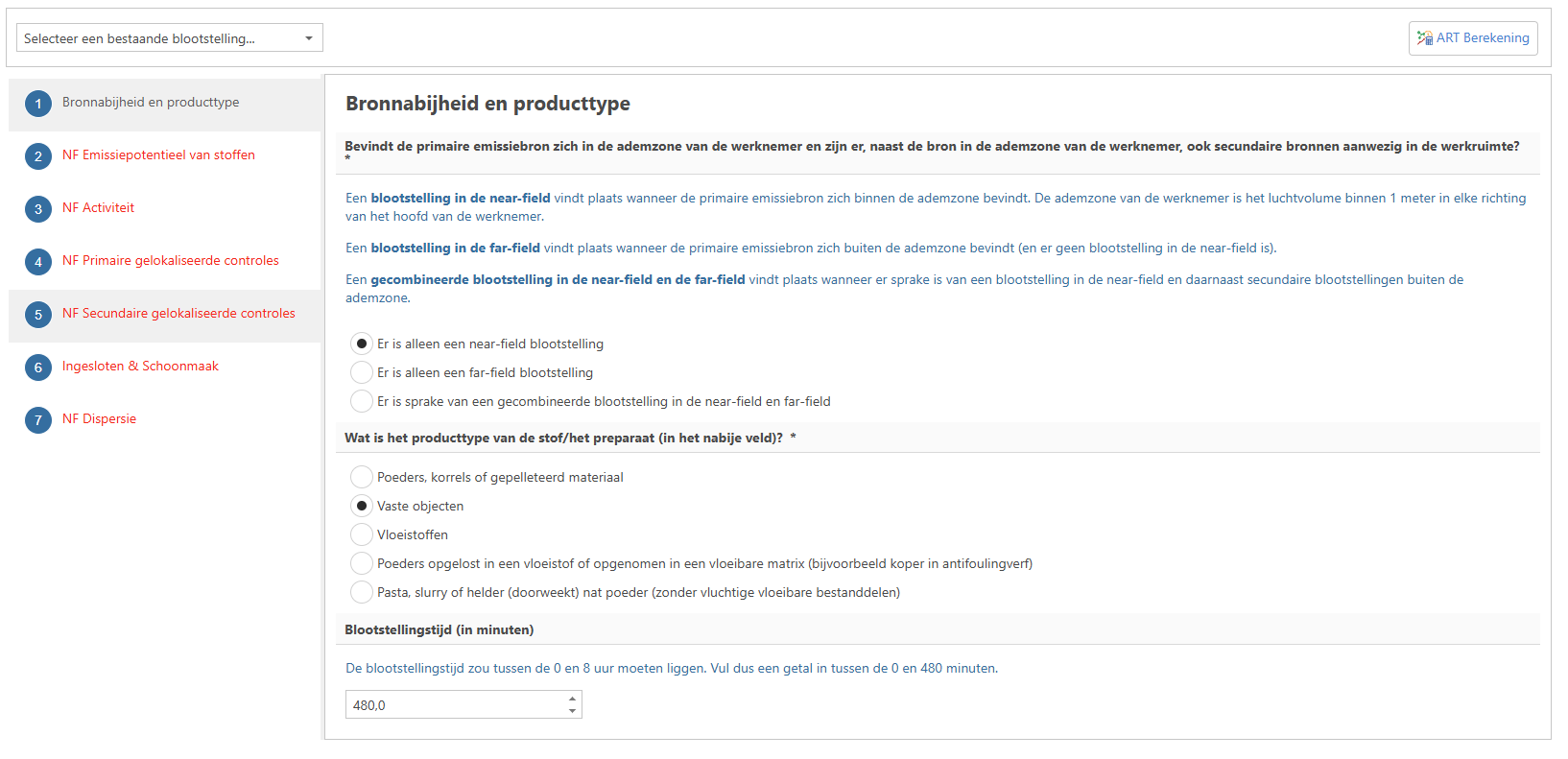
Once all questions have been answered, click on the ‘ART calculation’ button to perform the calculation.
After the calculation, a screen with the results will appear.
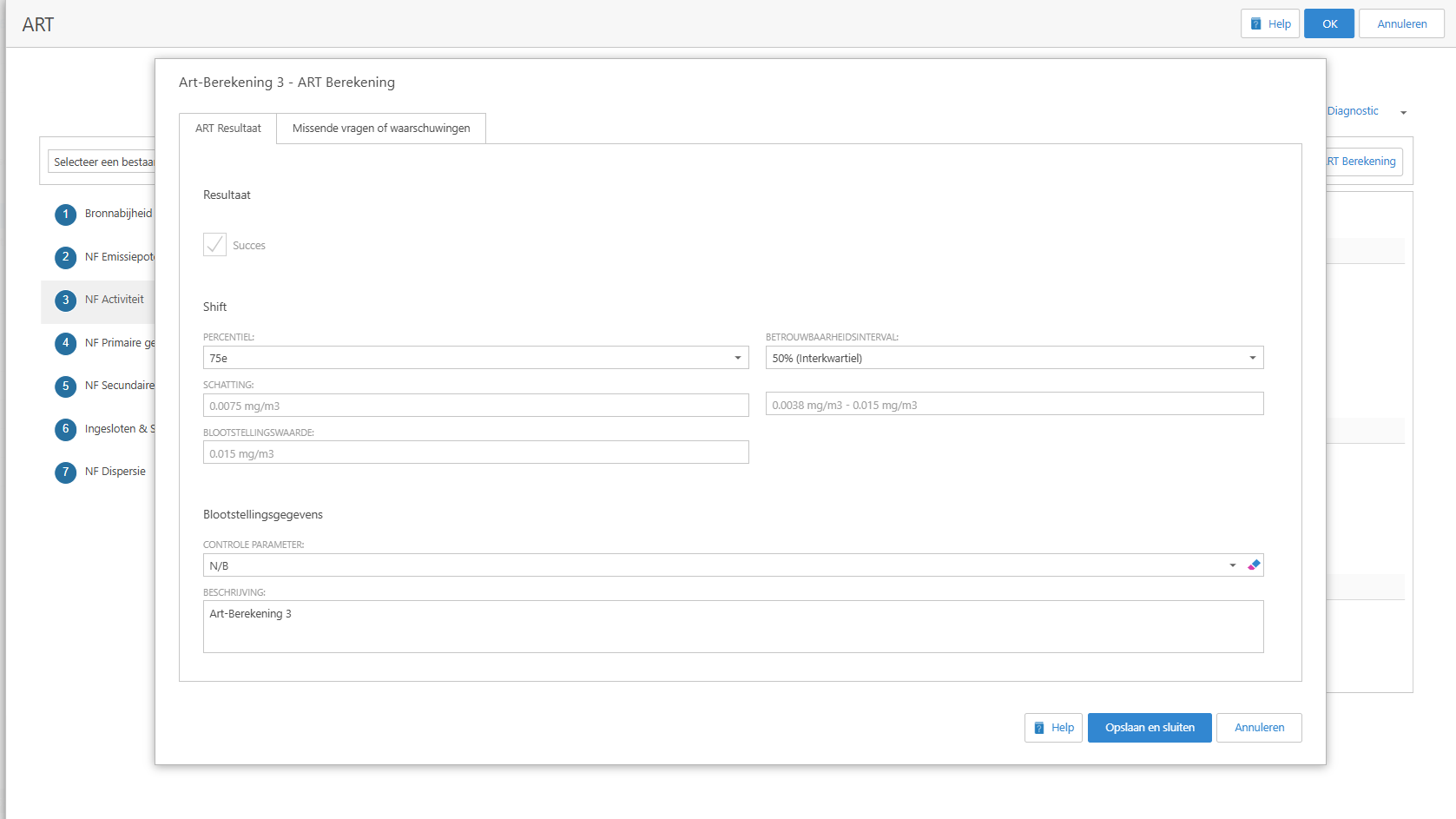
If the calculation is successful, the “Success” checkbox will be ticked.
It is possible that not all questions have been answered and that the “Success” checkbox is not ticked.
The “Missing questions or warnings” tab displays the unanswered questions. Clicking the “Cancel” button returns you to the screen with the questions.
If the calculation was successful, you will see the result and can choose which exposure value to use based on the percentile and confidence interval. The exposure value used is always the largest number in the confidence interval. If you choose a different percentile or confidence interval, the exposure value will be adjusted.
On the screen under the heading “Exposure data”, you can select a control parameter (you can only choose between MAC TWA 8 hours or MAC STEL 15 minutes). If the substance contains a control parameter ‘MAC TWA 8 hours or MAC STEL 15 minutes’ with the units ‘mg/m³’ or ‘ppm’, it will be selected automatically.
You can enter your own text in the ‘Description’ text box.
When you click the “Save and close” button, the exposures are saved and the screen closes.
Note:
You can use a previous calculation as a starting point by selecting a value from the drop-down menu. After your selection, all answers from the previous calculation are copied and you can adjust the answers you have entered.
ART is currently only calibrated for estimating exposure to inhalable dust, vapours and mists. Due to the lack of suitable measurement data, ART cannot (for the time being) be used to estimate vapours, fibres, gases and dust released during emissions from hot metallurgical processes.
The data entered is stored in the exposure data, even if the limit value for the substance changes in the future.
Please note!
The model used by the ART calculation is optimised for an exposure time of 480 minutes (one working day/shift). ART assessments are still possible if the duration differs from 480 minutes, but estimates should be interpreted with some caution, as ART's variability estimates are based on measurements during shift exposures. For periods shorter than 480 minutes, the remaining time is considered a period of no exposure and the 8-hour time-weighted average is calculated.
ART is currently only calibrated for estimating exposure to inhalable dust, vapours and mists. Due to the lack of suitable measurement data, ART cannot (for the time being) be used to estimate vapours, fibres, gases and dust released during emissions from hot metallurgical processes.
A technical justification of the ART method can be found in the following document: ART Mechanistic model report_v1_5_20130118.pdf.